





















“Can someone visit Mum on Thursday?”
The arrangements get lost in the group chat, and the same person ends up going again.
The week shows all visits. Days without a visit stand out immediately, and adding a visit takes just a few seconds.
For families caring for older relatives
Who is visiting Mum on Thursday? Where is the power of attorney? Has Dad checked in today? Best4Senior brings visits, appointments, tasks, documents and the emergency card together in one place – for everyone who helps, with a simple view for your parents themselves.
Sound familiar?
They usually end up in a family chat, on notes on the fridge or in one person’s memory. Best4Senior gives each question a place of its own.

“Can someone visit Mum on Thursday?”
The arrangements get lost in the group chat, and the same person ends up going again.
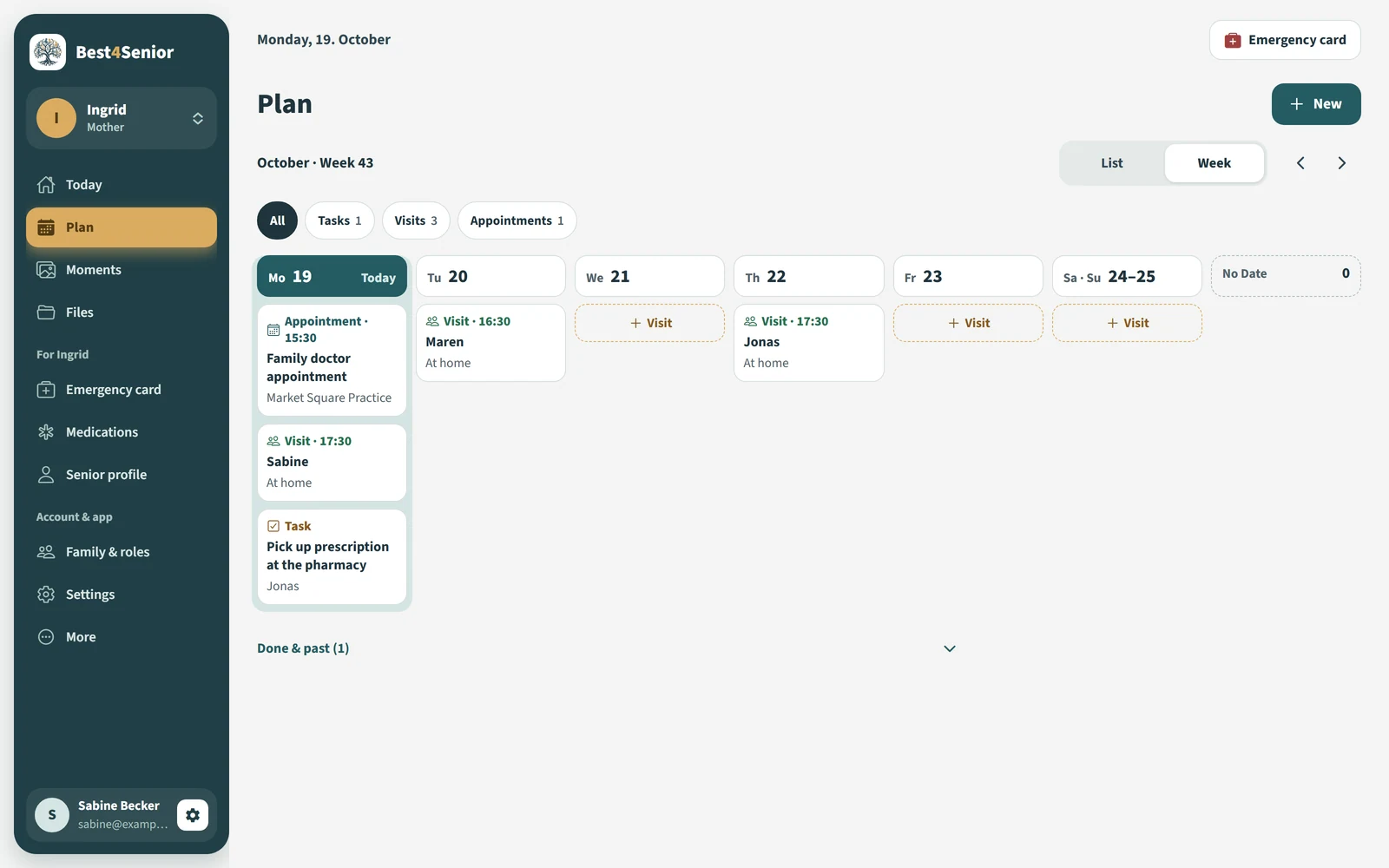
The week shows all visits. Days without a visit stand out immediately, and adding a visit takes just a few seconds.
“Has Dad checked in today?”
When there is no news, worry sets in – followed by the third phone call that morning.
One tap on “I am OK” is enough. The whole family sees the check-in immediately, with the time.
“Where is the power of attorney?”
Medical letters, the health insurance card, advance directives: scattered across folders, emails and phone photos.
Important documents are collected in the care circle, ready to hand even when you are away from home.
“Which tablets is she taking?”
In an emergency or at the doctor’s office, nobody knows for sure, and the medication list is at home.
The emergency card and medications stay up to date: contacts, family doctor, allergies, notes and reminders.
“Who is taking her to the doctor?”
Only the person who booked the appointment knows about it. Everyone else finds out afterwards.
Appointments with a location, accompanying person and note – visible to everyone, with a reminder.
“Grandma feels left out.”
The smartphone is too complicated, and family photos reach her only indirectly.
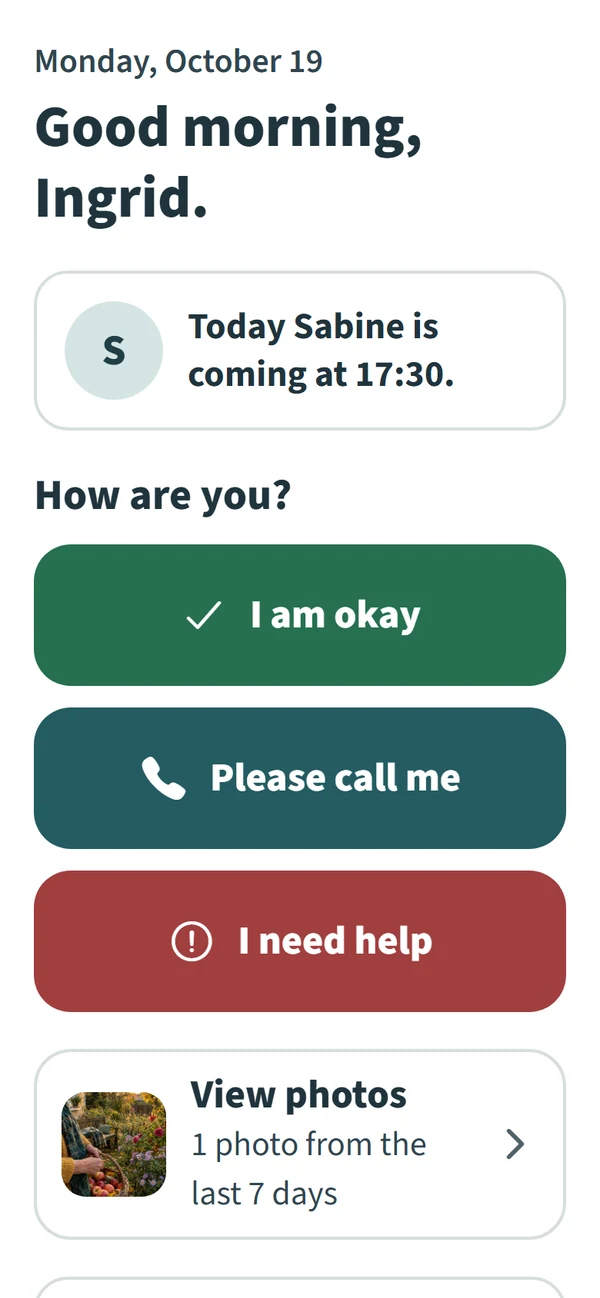
Senior mode shows just the essentials: who is coming today, new photos and three large buttons.
How Best4Senior helps
Today
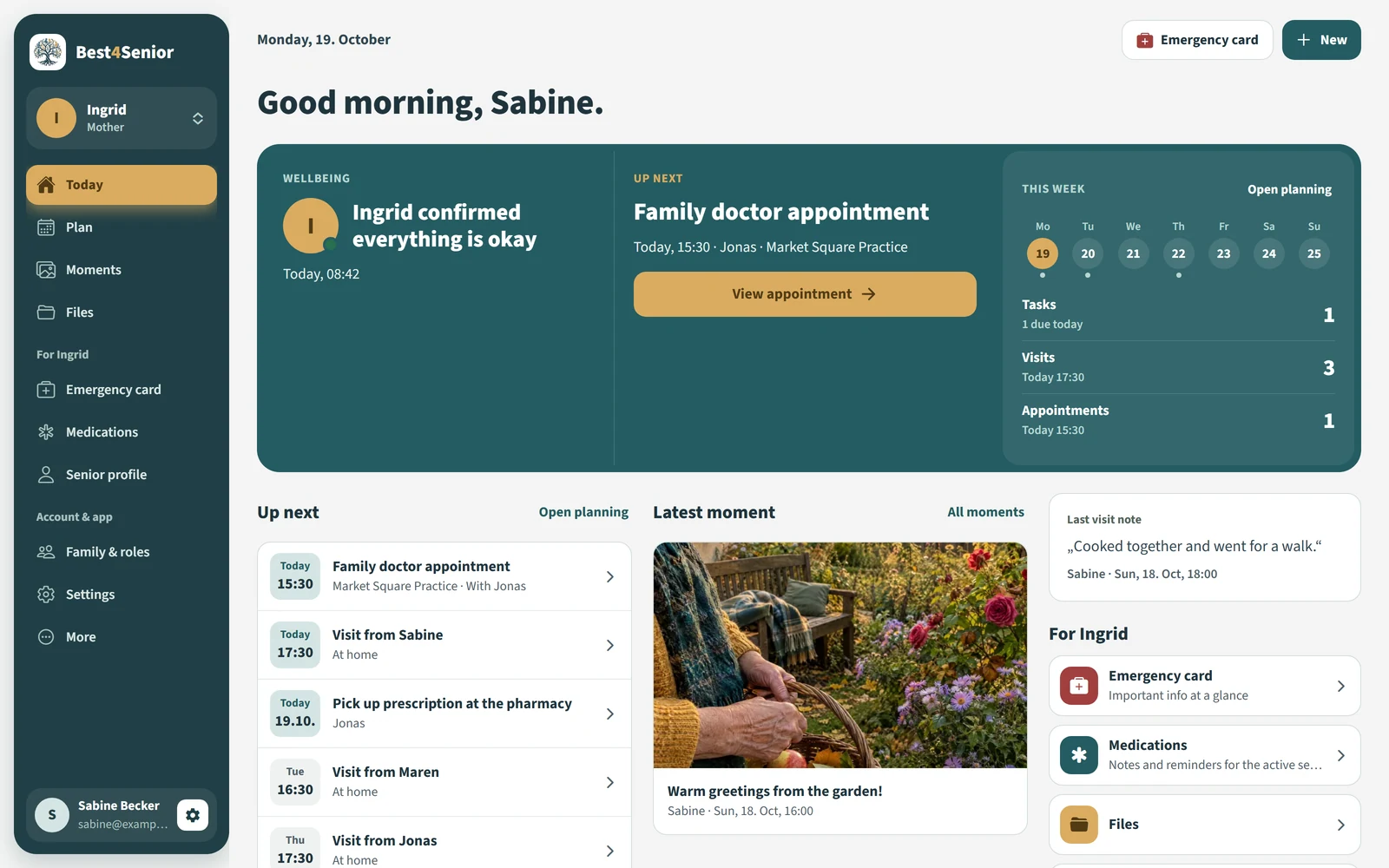
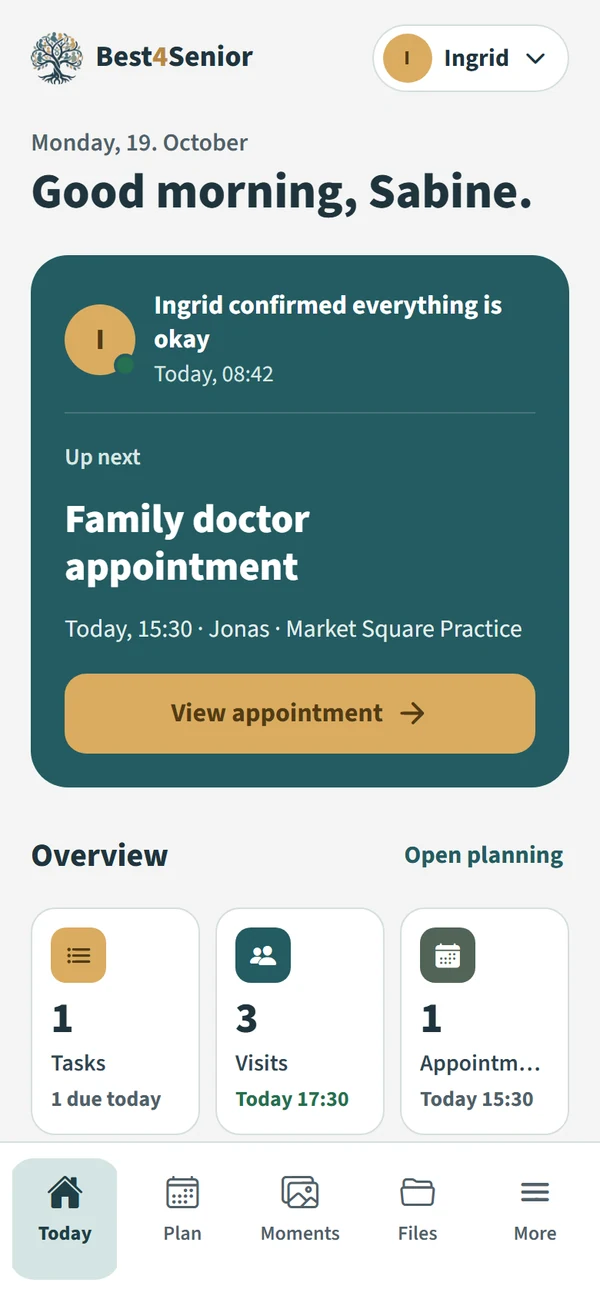
Open the app to see how your relative is doing, what is next and what the week looks like.
Planning
The week as a board: everyone sees who is there and when, and where there is still a gap. Tasks have an assignee, a deadline and a priority.
Senior mode
Large text, a few buttons and no getting lost. On their own phone or a tablet in the kitchen.
Ingrid’s phone
On Sabine and Jonas’s phones
Try it: tap a button on the left.
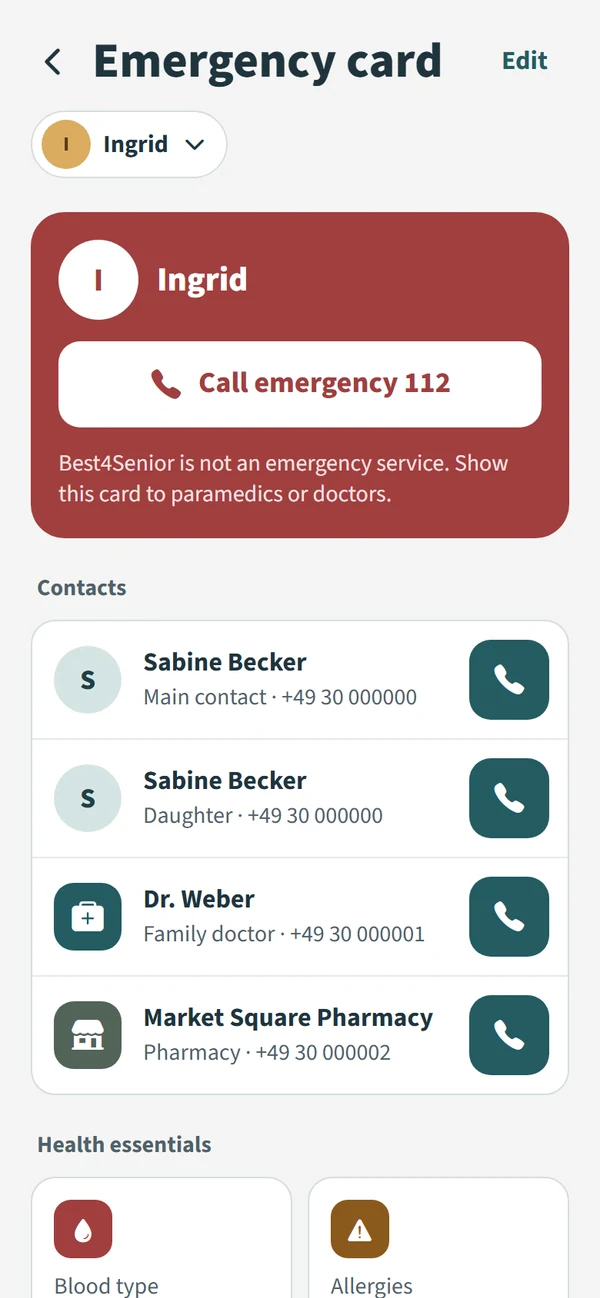
Emergency card & medications
Everything emergency responders, a hospital or a substitute carer need to know, in one place – maintained by the whole family.
Moments & files
Photos and small messages bring everyday family life to grandparents. Alongside them are the documents that otherwise seem impossible to find.


Family & roles
Invite siblings, partners, neighbours or professional carers. You decide who can plan and who sees only selected areas.
All features

At the heart of it
Senior modeFor your parents: large text, a few buttons, who is coming today and new family photos. One tap tells the family how they are doing.
Check-ins and the help button are always free.
Visits, medical appointments and tasks in one week. Gaps stand out and responsibilities are clear.
 Visits
 Appointments
 Tasks
Contacts, family doctor, allergies, diagnoses and medications – ready to hand. With Premium, also as a PDF and QR code.
Wellbeing, next step and the week
When did she last check in?
Notes and reminders
Power of attorney, medical letters, decisions
Family photos and greetings
Invite people and assign permissions
Choose who sees what
With Premium, for example, mother and father
How access works
Create the circle and add the person you are caring for. It is free.
Free includes up to three members. Your relative gets their own access for senior mode.
One subscription covers everyone in the care circle. Subscribe in the iOS or Android app.
Free
Freefor good
To get started with one person and your closest family.
“I am OK” and “I need help” are always free.
Get started for freeFor the whole care circle
Premium
One subscriptioncovers everyone in the circle
For families organising more together – or caring for both mother and father.
Subscribe in the iOS or Android app and use it on the web too.
| Area | Free | Premium |
|---|---|---|
| People receiving care per circle | 1 | up to 4 |
| Members per care circle | 3 | 12 |
| Active tasks | 20 | 250 |
| Planned visits and appointments | 10 each | 200 each |
| Recurring visits, appointments, tasks | – | yes |
| Documents | 5 (100 MB) | 250 (5 GB) |
| Moments | 20, 1 photo each | 2,000, up to 10 photos, voice greetings |
| Check-in history | 7 days | 12 months |
| Emergency card | yes | yes, plus PDF and QR code |
| “I am OK” and “I need help” | always | always |
See the current price in the iOS or Android app. It may vary by store, country and taxes. A Premium subscription purchased in the app also works on the web.
Create your care circle, invite the family and get started together with Free.